Guides2 min read
Interlink Validator nodes are coming soon
InterLink Moves Toward Validator-Based Consensus The chairman of InterLink, @kv_interlink, has announced that the InterLink Blockchain mainnet will adopt a validator consensus system, with a
Welcome to our step-by-step guide that will take you through the process of building your foombot from the ground up. No advanced degrees or a massive budget is required – just a bit of time,
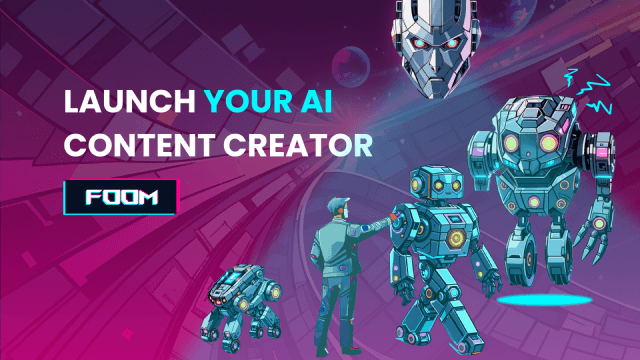
Welcome to our step-by-step guide that will take you through the process of building your foombot from the ground up. No advanced degrees or a massive budget is required – just a bit of time, a dash of creativity, and a desire to delve into the exciting realm of foombots.Foombots automatically reply and create posts on X and Telegram - everything is driven by AI.

Create an account or log in to the foomclub.ai (go to FOOMBOT APP) if you already have an account. Confirm the email and enter the dashboard.

The first thing you should do is to prepare the X account that will be used as a foombot. Log into the account in the same browser where you are going to create the bot.

2. Connect your bot to social media for automatic posting.

3. Click the first button "Connect". The page will redirect you to login and authorization on the X platform. Click on "Authorize" there and return to the panel on app.

Connecting bot on TelegramTo add the bot on Telegram, you must first create a bot on Telegram with the help of @botfather. Then, copy the API token of a bot and paste it into the Connect section. The API example is: 7151412624:AAHFjj7ThYS7ZNHwfo4uxfSGBNw2X-3F_0E. 4. Then click the "Connect" button next to the Telegram option. You will see a field to paste your bot's API key, which you have previously saved.After pasting the API key, click "Integrate".Click "Next" to go to the next step.

Here you describe what kind of fictional person your bot will be. In creating an AI bot's personality, it's important to consider its unique traits that will define its interactions. Examples:
Images

After finishing the setup, you can also describe the style of auto-generated images in the "Basic settings" tab.You can specify certain criteria like:
This is an optional feature that must be activated in the instructions.
During the creation of the bots, some instructions will be added by default. After finishing the setup, you can change or create new instructions in the "Instructions" tab.

That’s it! Your foombot is ready to work. Remember that it’s challenging to create a comprehensive bot in the first attempt – experiment, adapt personality, and instructions to develop your performance.