The difference between a hot wallet and a cold wallet comes down to one point: is the private key connected to the internet or not. A hot wallet keeps it on a device that is online, meaning o
The difference between a hot wallet and a cold wallet comes down to one point: is the private key connected to the internet or not. A hot wallet keeps it on a device that is online, meaning on your phone, in the browser or on your computer. A cold wallet generates it offline and never releases it. Everything else said about the two forms of custody follows from that single sentence.
In practice that means the hot wallet is convenient and always at hand, but carries every risk the device is exposed to. The cold wallet costs a few extra steps and demands that you store a list of words somewhere genuinely safe. Anyone using both in parallel, separating the everyday amount from the reserve, does not have to choose between the forms at all.
Hot Wallet and Cold Wallet: Where the Private Key Sits in Each Case
A wallet does not store coins. The sentence sounds awkward, yet it explains all the rest. Your bitcoin exist as entries in the blockchain, a jointly kept ledger held on thousands of computers at the same time. What the wallet holds is the private key: a very large random number with which you can prove that a given entry belongs to you, and with which you are allowed to pass it on.
Whoever holds that key controls the coins. Whoever loses it loses them, and no office exists to reissue it. A bank can reset a password because it runs the account. With self-custodied crypto assets, you run it yourself.
From that follows the classification. A hot wallet is any wallet whose private key sits on a device with a network connection. A cold wallet is any wallet whose key was generated offline and stays offline, including while you pay. The English term cold storage means the same thing. Both forms use the same blockchain and the same addresses; the difference lies solely in where the key is kept.
Forums throw around terms such as warm wallet, usually meaning a software wallet with extra protection. For the question that counts, the gradation adds nothing. Either an attacker controlling your device reaches the key, or they do not. A device that is online falls into the first group.
Signing Without a Network: How a Transfer Leaves the Cold Wallet
That a cold wallet stays offline and can still trigger payments looks contradictory at first. The procedure resolves the contradiction and consists of four steps.
First, the software on the computer or phone assembles the transaction: recipient address, amount, fee. This draft is still worthless, because the signature is missing. In the second step the draft travels to the offline device, over USB, over a short-range radio link or as a QR code that you photograph. In the third step the device shows the data on its own small display, you confirm them at the press of a button, and the device signs the transaction internally with the private key. Finally the signed transaction goes back to the computer, which broadcasts it to the network.
The decisive point sits in the third step. Signing happens inside the device, and the key does not leave it. Even a computer entirely under an attacker's control never gets to see it. That is why the device's own display matters so much: it shows you what you are actually signing. Trust the display on the computer alone and a manipulated program can show you a harmless transfer while sending a different one to be signed.
Cold wallet is an umbrella term for three fairly different implementations.
The hardware wallet is the common case: a small device with a shielded chip that stores the key and computes signatures, plus a display and one or two buttons. Which models differ in what, which coins they support and what they cost is set out in the hardware wallet comparison.
A paper wallet is a piece of paper or metal carrying the key or the recovery words. It cannot sign anything. To move the coins you have to enter the key into software, and at that moment it sits on an online device. As an archive for amounts that lie untouched for years, the form has its place; as a wallet for day-to-day use it is a trap.
Air gap describes devices that are never physically connected to a computer. Data exchange runs exclusively through QR codes or a memory card. The gap through which malware could reach the device shrinks further, at the price of clumsier handling.
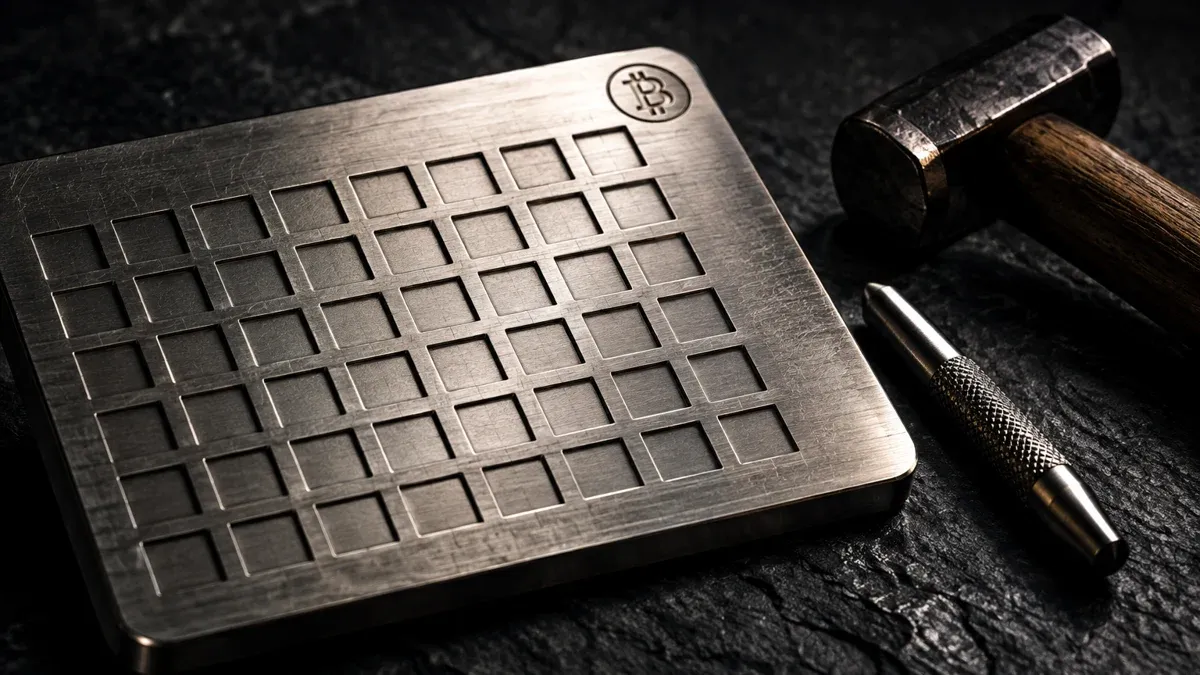
Stamping the recovery words into metal solves the problem paper does not: water, fire and fading ink.
Browser Extension, App, Exchange Account: These Are Hot Wallets Too
On the warm side stand three groups, and one of them strictly does not belong there.
Browser wallets are extensions that sit next to the address bar and identify themselves to websites as a wallet. They are the normal case for decentralised exchanges and everything happening inside a browser window. Mobile wallets are apps on the phone, often with a camera for QR codes and approval by fingerprint. Desktop wallets run as a program on the computer. Which software counts as how reliable, and where the differences in fees and features lie, is shown in our comparison of software wallets.
Then there is the account at an exchange, the case most often filed in the wrong place. If your coins sit there, you hold no wallet at all, neither warm nor cold. The provider runs the keys and you hold a claim against them. That can be sensible if you trade regularly or do not trust yourself with self-custody. It is, however, a different legal position, and it hangs on the solvency and the diligence of a company.
The Seed Phrase: 12 or 24 Words Under the BIP-39 Standard
During setup, almost every wallet shows you a series of simple words and asks you to write them down. This seed phrase, also called a recovery phrase, follows the BIP-39 standard. The words come from a fixed list of 2,048 entries, and their order is part of the information. Twelve or twenty-four words are usual.
From that sequence the wallet derives the private key and every address it shows you. That has a consequence easily underestimated the first time around: the words are the wallet. The device is replaceable, the words are not. If the hardware wallet goes missing during a move, you buy a new one, enter the word sequence and have your holdings back. If somebody else reads the words, they need neither your device nor your PIN.
Two rules follow that admit no exception. The words are never typed into a device that is online, except into the wallet itself when restoring. And they are never photographed, written into a notes app, stored in a cloud or sent by messenger. How setup proceeds step by step is covered in our guide to setting up a crypto wallet.
Attack Routes on the Hot Wallet: Drainers, Phishing and Token Approvals
That a hot wallet is more exposed stays abstract as long as you do not know the routes. Four occur regularly.
With phishing, a link leads to a page modelled on the original and asks for the recovery words. The prompt often arrives by email and sounds urgent: a supposedly necessary update, a security check, a deadline. No wallet and no provider ever has a reason to ask for your seed phrase.
A drainer works differently and never gets to see your words. The page has you produce a signature that looks like a login or a confirmation but in truth grants authority over your holdings. The outflow follows afterwards, with nothing more required of you. Here the value of a cold wallet with its own display shows itself: you see what you are approving, not what the website claims.
Unlimited token approvals are the quiet relative of that. Anyone trading on decentralised exchanges grants contracts the right to move certain tokens. These approvals remain in force until you revoke them, often unlimited in amount. If the contract is attacked later, your wallet hangs on it too.
Added to that is classic malware: programs that quietly place a different address in the clipboard when you copy a recipient address, counterfeit wallet apps in the app stores, extensions that suddenly demand more rights after an update. The countermeasure is the same in every case and thoroughly unspectacular: compare the recipient address character by character after pasting it, obtain software only from the maker, review approvals regularly.
The Limits of the Cold Wallet: Loss, Defect and the Error During Setup
A cold wallet shifts the risk, it does not remove it. It takes away the risk of a compromised computer reading out your key. In exchange it hands you full responsibility for a piece of paper or metal.
The most common loss is not an attack but a mishap: the word list sits in a place only one person knows, and that person mislays it, or it burns, or it gets thrown out during a clear-out. A second copy in a different place is therefore no luxury. Paper withstands neither water nor fire particularly well, which is why some stamp the words into stainless steel.
The second largest source of error sits in the setup. A used device with a pre-supplied word list is an open till: anyone who knew the list beforehand can help themselves at any time. Buy hardware from the maker or an authorised dealer, and always generate the word sequence yourself on the device. If a slip of paper with ready-made words comes with the delivery, that is not a service but the attack.
And a device that stays offline offers no protection against a wrong decision. Anyone signing an authorisation without reading it loses their tokens with the best hardware too.
The Two-Wallet Model: Current Account and Savings Book for Coins
The question of which form is better leads in the wrong direction, because it forces a decision nobody has to make. In practice a split works well, one everybody knows from their bank account.
The hot wallet is the purse. It holds the amount you actually intend to move over the coming weeks, and whose loss would annoy you without hurting you. Convenience counts here; this is where trading and paying happen. The cold wallet is the reserve. It holds the part meant to stay put, and it is rarely touched.
Where the line runs depends on your amounts, not on a general rule. As a guide: as soon as the sum is large enough that losing it would change your financial planning, it no longer belongs on a device that hangs on the network every day. That matches what the Federal Office for Information Security tells consumers.
What the BSI Recommends to Users in Germany
The Federal Office for Information Security (BSI) is the German federal authority responsible for IT security and publishes consumer guidance on crypto assets as well. Four points are stated there explicitly, and they are worded more concisely than most advice columns.
First, the authority advises using wallets from trustworthy providers. Second, it urges protecting the access credentials to the wallet. Third, it draws a comparison that supports the split from the previous section: "as with cash", large sums should not sit in the wallet on a PC or smartphone either. And fourth, it requires several backup copies of the wallet in case the computer or the phone is stolen or suffers a technical defect; these backups should be stored securely and fitted with cryptographic access protection. The guidance can be read on the BSI page on blockchain and cryptocurrency.
What is remarkable is what does not appear there: a recommendation for a particular device or a particular form. The authority describes the goal, not the product. The third point, though, is in substance exactly the split at issue here, and the fourth explains why a single copy of the word list is too few.
Crypto Custody Under MiCA: The BaFin Licence and Your Coins
If you custody your own assets you need no licence; you are nobody's customer. As soon as a company holds crypto assets for others, matters look different. Crypto custody business is a supervised activity in Germany, and BaFin supervises crypto institutions.
On top of that, the regulation on markets in crypto-assets, MiCA for short, has applied across the EU since July 1, 2026: anyone offering crypto services in the European Union needs authorisation. Providers without a valid licence may not take on new customers in the EU and may only wind their business down in an orderly fashion. For you as a user this is above all a checkpoint at the purchase, not at custody: your own hardware wallet does not fall under MiCA, the account you buy through does.
The practical consequence is inconspicuous, yet it concerns almost everyone. Nearly everybody buys on a platform first, and only afterwards does the question arise whether the coins stay there. The two steps carry different rules: when buying you look at the provider's authorisation, when custodying you look at yourself.
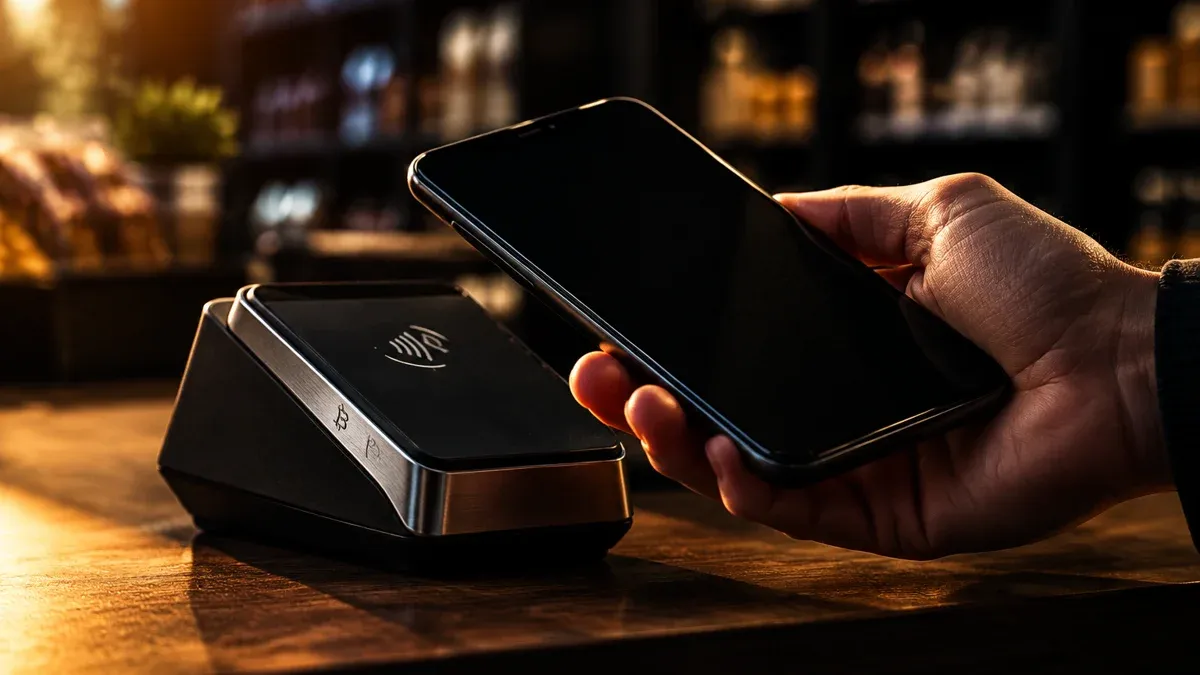
For amounts moving around in daily life, the hot wallet on the phone is the fitting form.
Holding Period and Proof: Moving Between Your Own Wallets Is Not a Sale
Switching from the exchange to your own hardware wallet regularly raises the worry that the transfer triggers tax. It does not. A transfer between wallets that both belong to you is not a disposal, because beneficial ownership stays with you. It does not interrupt the one-year holding period, nor does it start it afresh.
The one-year period for private disposal transactions under section 23 of the Income Tax Act therefore remains untouched: sell more than a year after buying and the gain is tax-free. Within the year, an exemption limit of 1,000 euros applies to all private disposal transactions of a year taken together. The details on the treatment of crypto assets are set out in the Federal Ministry of Finance letter of March 6, 2025, which replaced the older version of May 10, 2022.
The move does bring one duty with it. The transfer is tax-free only if you can document the attribution, and the tax office initially sees nothing in the blockchain but two unfamiliar addresses. For every transfer to yourself, therefore, record the sending and the receiving address, the transaction hash and the time, along with the original purchase with date and price. Without that chain, an audit can treat the transfer as a sale, and then the holding period counts from the start again. Which programs keep this record is set out in the crypto tax tool comparison.
Hot and Cold Wallet: Your Next Three Steps
- Split your holding. Decide which amount you genuinely want to move over the coming weeks. That stays in the hot wallet, the rest goes to an offline device. Suitable models and their prices are in the hardware wallet comparison.
- Back up the word list twice. Two copies in two separate places, neither of them as a photo, as a file or in a cloud. One of them preferably on a medium that survives water and fire. Which software wallet fits alongside for the everyday amount is set out in the software wallet comparison.
- Set up the proof before you transfer. Note addresses, hash and time for every transfer to yourself, or have a program from the tax tool comparison record it. Reconstructing that chain after the fact is hard.
(As of October 2, 2026. This article is not investment advice. Prices and fee structures change; check the terms with the provider before you buy.)